SQL Style Guide: Conventions Every Team Should Follow
A practical SQL style guide covering keyword casing, naming conventions, indentation, JOIN formatting, and CTE structure for consistent, readable queries.
- sql
- style guide
- formatting
- conventions
- best practices
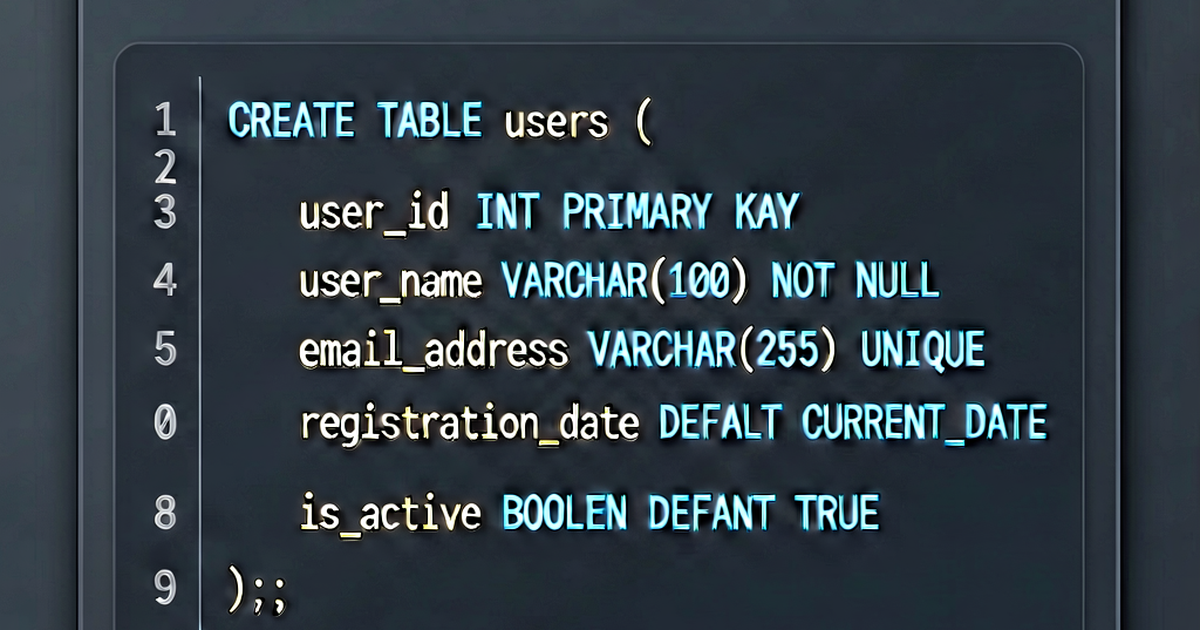

Consistent SQL style reduces review friction, speeds up debugging, and makes queries readable by teammates who didn’t write them. This guide covers the conventions that most teams converge on — with rationale for each.
Keyword casing
Write SQL keywords in UPPERCASE. Write identifiers (table names, column names, aliases) in lowercase.
-- Correct
SELECT
    u.user_id,
    u.email,
    COUNT(o.order_id) AS order_count
FROM users AS u
LEFT JOIN orders AS o ON u.user_id = o.user_id
WHERE u.is_active = TRUE
GROUP BY u.user_id, u.email
ORDER BY order_count DESC;

-- Avoid
select u.user_id, u.Email, count(o.ORDER_ID) as Order_Count
from Users u left join Orders o on u.UserId = o.UserId;
The visual contrast between uppercase keywords and lowercase identifiers lets your eye scan to the structure of the query instantly.
One clause per line
Each major clause starts on its own line:
SELECT
    column_one,
    column_two
FROM table_name
WHERE condition
GROUP BY column_one
HAVING aggregate_condition
ORDER BY column_one
LIMIT 100;
Never write:
SELECT column_one, column_two FROM table_name WHERE condition GROUP BY column_one;Column list indentation
Indent columns 4 spaces under SELECT. Put each column on its own line when there’s more than one:
SELECT
    user_id,
    email,
    created_at
FROM users;
Single-column selects can stay on one line:
SELECT COUNT(*) FROM users WHERE is_active = TRUE;Trailing vs. leading commas
Both styles are used in practice. Pick one and stay consistent:
-- Trailing commas (most common)
SELECT
    user_id,
    email,
    created_at

-- Leading commas (easier to comment out lines in dev)
SELECT
    user_id
   ,email
   ,created_at
Leading commas let you comment out any line without touching the previous one:
SELECT
    user_id
   ,email
-- ,created_at   -- temporarily excluded
   ,updated_at
Table aliases
Always alias tables, and use meaningful aliases — not single letters:
-- Clear
SELECT
    usr.email,
    ord.total,
    prd.name
FROM users AS usr
JOIN orders AS ord ON usr.user_id = ord.user_id
JOIN products AS prd ON ord.product_id = prd.product_id;

-- Hard to read
SELECT a.email, b.total, c.name
FROM users a JOIN orders b ON a.user_id = b.user_id
JOIN products c ON b.product_id = c.product_id;
Short aliases are fine for obvious abbreviations (usr, ord, sub), but avoid a, b, c.
JOIN formatting
Put each JOIN on its own line, at the same indentation level as FROM. Put the ON condition on the same line for short joins:
FROM users AS usr
LEFT JOIN subscriptions AS sub ON usr.user_id = sub.user_id
LEFT JOIN plans AS pln ON sub.plan_id = pln.plan_id
For long ON conditions, break them:
FROM events AS evt
LEFT JOIN user_sessions AS sess
    ON evt.session_id = sess.session_id
    AND evt.created_at BETWEEN sess.started_at AND sess.ended_at
WHERE clause formatting
For multiple conditions, put each on its own line with the operator at the start:
WHERE
    u.is_active = TRUE
    AND u.created_at >= '2026-01-01'
    AND u.plan_id IN (1, 2, 3)
The leading AND/OR makes it easy to comment out individual conditions.
CTE structure
Each CTE gets its own named block. Align the content consistently:
WITH
active_users AS (
    SELECT user_id, email
    FROM users
    WHERE is_active = TRUE
),
recent_orders AS (
    SELECT user_id, SUM(total) AS total_spent
    FROM orders
    WHERE created_at >= '2026-01-01'
    GROUP BY user_id
)
SELECT
    au.email,
    COALESCE(ro.total_spent, 0) AS total_spent
FROM active_users AS au
LEFT JOIN recent_orders AS ro ON au.user_id = ro.user_id
ORDER BY total_spent DESC;
Name CTEs after what they contain, not what they do (active_users not filter_users).
Subquery indentation
Indent the inner query one level inside parentheses:
SELECT
    outer.email,
    outer.order_count
FROM (
    SELECT
        u.email,
        COUNT(o.order_id) AS order_count
    FROM users AS u
    JOIN orders AS o ON u.user_id = o.user_id
    GROUP BY u.email
) AS outer
WHERE outer.order_count > 5;
Naming conventions
| Object | Convention | Example |
|---|---|---|
| Tables | Plural, snake_case | user_accounts, order_items |
| Columns | snake_case | user_id, created_at |
| Booleans | is_, has_, was_ prefix | is_active, has_subscription |
| Timestamps | _at suffix | created_at, deleted_at |
| Date columns | _date suffix | signup_date, expiry_date |
| Primary keys | <table_singular>_id | user_id, order_id |
| Foreign keys | Same as the PK they reference | user_id in orders table |
| Indexes | idx_<table>_<columns> | idx_orders_user_id |
| Unique indexes | uniq_<table>_<columns> | uniq_users_email |
Boolean values
Write TRUE/FALSE not 1/0 where your database supports it. The intent is clearer:
-- Clear
WHERE is_active = TRUE

-- Ambiguous
WHERE is_active = 1
NULL handling
Be explicit about NULL handling in comparisons:
-- Correct
WHERE deleted_at IS NULL
WHERE deleted_at IS NOT NULL

-- Wrong (always evaluates to NULL, not TRUE/FALSE)
WHERE deleted_at = NULL
WHERE deleted_at != NULL
Comments
Use -- for inline and single-line comments. Use /* */ for multi-line blocks:
-- Select users who haven't placed an order in the last 90 days
SELECT u.user_id, u.email
FROM users AS u
LEFT JOIN orders AS o
    ON u.user_id = o.user_id
    AND o.created_at >= NOW() - INTERVAL '90 days'
WHERE o.order_id IS NULL;  -- anti-join pattern
Comment the why, not the what. -- filter active users is noise; -- exclude soft-deleted accounts from billing is useful.
Style guide tools
- SQLFluff — linter and autoformatter; enforce this guide in CI
- Prettier — SQL plugin for JS/TS projects
- sqlformat.io — paste a query for instant formatting
Format your queries at sqlformat.io before code review.

Related reading
-
How to Format SQL: Rules, Tools, and Style Guides
Format SQL queries consistently with online tools, SQLFluff, Prettier, and editor extensions. Covers keyword casing, indentation, and WHERE/JOIN formatting rules.
-
SQL Joins Explained: INNER, LEFT, RIGHT, FULL, and CROSS
A visual and practical guide to SQL joins: INNER JOIN, LEFT JOIN, RIGHT JOIN, FULL OUTER JOIN, and CROSS JOIN — with examples for each type.
-
SQL EXPLAIN and Execution Plans: A Complete Guide
Learn to read SQL execution plans using EXPLAIN and EXPLAIN ANALYZE in PostgreSQL and MySQL. Identify seq scans, index scans, hash joins, and cost estimates.